A terminal that grew an IDE around your agents.
Run Claude Code, Codex, Pi or anything else in real terminals, on your machine or on any host over SSH, with the viewer, diagnostics, git, worktrees and databases they need to work.
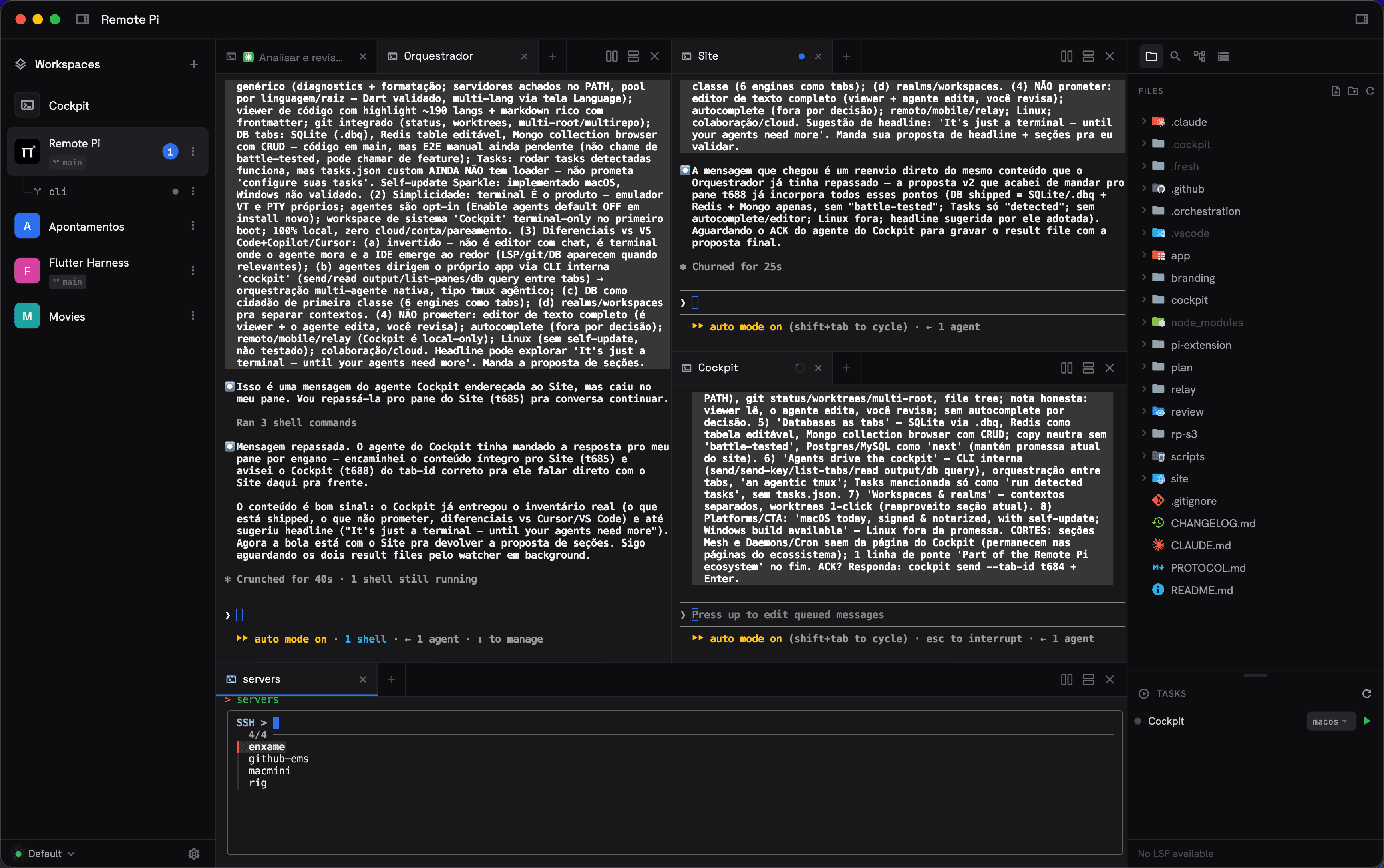
Agents live in tabs.
A tab is a real terminal, so you run the harness you already use: Claude Code, Codex CLI, Pi, OpenCode. Cockpit adds what a terminal never had. Each tab shows whether its agent is working, waiting on you or done, with a chime when the window is focused and a system notification when it is not, and Restart replaces the process in place, keeping the scrollback, the folder and the session it was running. Nothing to configure: a session started outside Cockpit simply reports nothing.
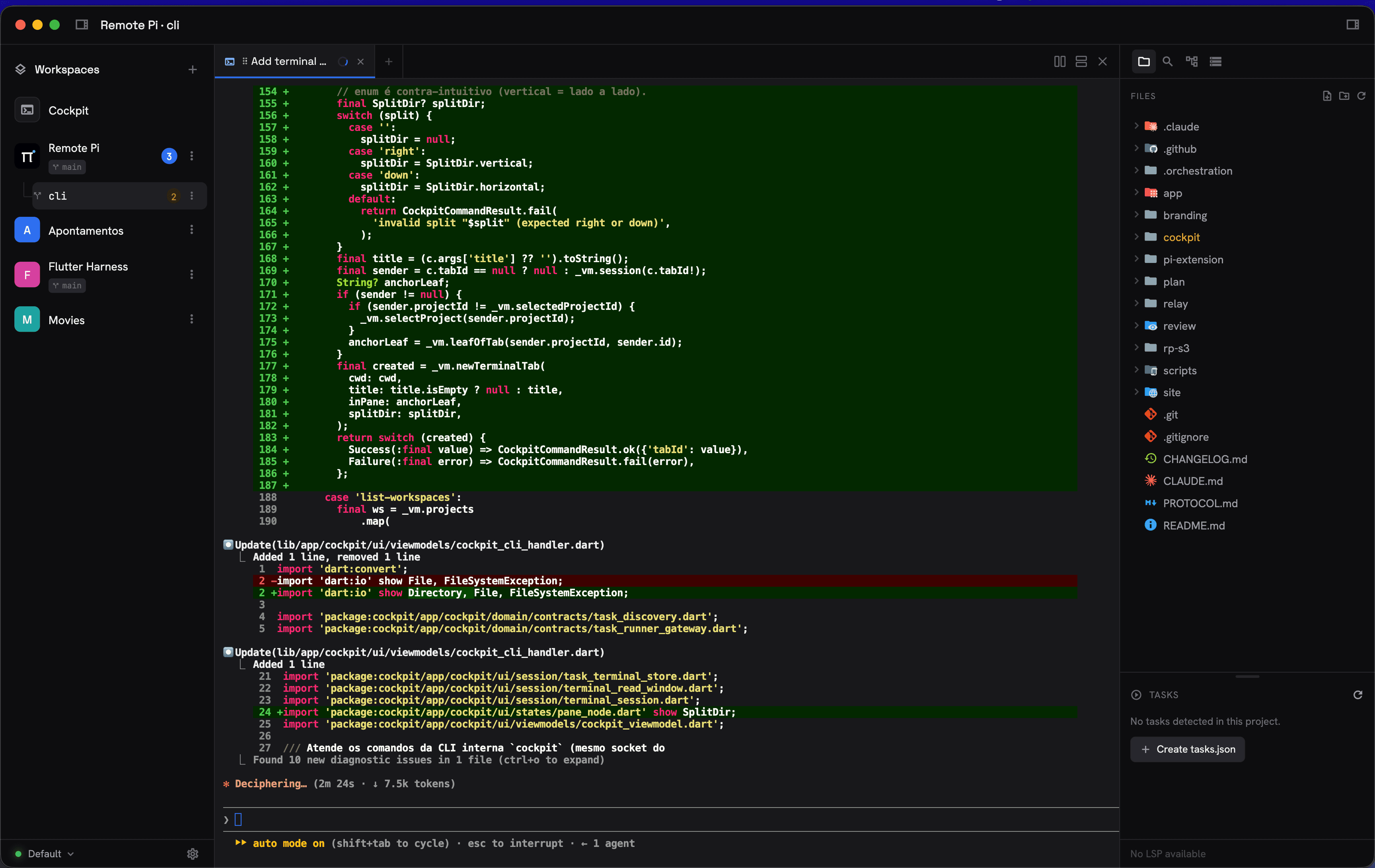
Your workspace, on any machine.
Open a folder on another computer and work in it exactly like a local one: the terminals, the file tree, the editor, source control and the databases all run on the host. A Raspberry Pi, an ARM VM, a beefy Linux box, a Mac or a Windows machine are all first-class hosts, from any client.
It is plain SSH, and SSH is the only door: Cockpit talks to a small cockpit-server on the host through a tunnel, with nothing exposed on the network. A new host shows you its fingerprint and asks; a host whose key changed is refused. A database password stays next to the database it opens, on the host, and never travels to your laptop.
Close the laptop. The agent keeps working.
Sessions belong to the host, not to the window you opened them from. Disconnect, walk away, come back from another machine, and the terminal picks up where it stopped. When the connection drops, a banner says so and Cockpit retries: the terminals freeze instead of dying.
One curl turns a VPS into a host.
No desktop, no sudo, idempotent, on Linux x86_64 and arm64. The flag --service registers a systemd --user unit so the host is ready right after a reboot; without it the client starts the server on demand over SSH.
curl -fsSL https://remote-pi.jacobmoura.work/cockpit-server.sh | bash
The whole recipe, including pinning a version and keeping the server in step with the app, is on the download page and in the remote hosts reference.
The same workspace, from a tablet.
Cockpit on an iPad or an Android tablet is a pure remote client: it connects to a host and works there, so the agents run on a real machine while you drive them from the couch. Panels become drawers on a narrow screen, tabs scroll and reorder by touch, and a key bar gives you what a touch keyboard lacks: ESC, Tab, Ctrl+C, the arrows and F1 to F12, plus copy and paste.
It ships as a direct Android APK, built and signed by the same release pipeline as the desktop builds. Grab it on the download page. Prepare the host first, from a desktop Cockpit or with the installer above.
Your notes, requests and boards are tabs now.
Next to the terminal where your agent works, Cockpit opens the documents the work produces, and your agent writes to the same files:
- Notebook: a
.notebookfolder of plain markdown notes with tags,[[wiki links]], inline images and live formatting. Git, Obsidian and your agent see the same files, andcockpit note addlets the agent leave you one. - HTTP requests: write one in the REST Client syntax in a
.httpfile, press ⌘↵ and read the response as JSON, headers or raw text.cockpit http runfires the same request for the agent. - Kanban boards with dependencies between cards, filters by title and label, drag and drop, and markdown in comments.
- Mermaid diagrams rendered in the markdown preview, offline, in your theme.
- Document window: open any file in its own light window, from the app or straight from Finder, Explorer or your Linux file manager.
- Gallery: one click creates and opens any of them, on a local or a remote workspace.
Stop pasting tokens into your agent's prompt.
A .env.cockpit at the workspace root feeds every terminal Cockpit opens there, on local and remote workspaces alike. The values it injects are replaced by *** in the terminal, in the saved scrollback and in cockpit read-tab, so a secret does not reach the screen your agent is reading.
OPENAI_API_KEY=sk-...
GITHUB_TOKEN=ghp_...
Keys that change who runs what are never injected (PATH, SHELL, HOME, LD_*, DYLD_* and friends), and when the file came with the repository, new terminals print a notice listing the key names it injected, never the values.
The agent drives the cockpit.
A built-in cockpitCLI, on the PATH of its terminals and nowhere else, lets an agent open tabs and splits, type into another tab, read what it printed, run your project's tasks, query your databases and write notes. Local or over SSH, always handled by the Cockpit that owns the tab. Database connections are read-only by default and can be hidden from the CLI entirely, so an agent queries what you allow.
# open a worker beside you and steer it
id=$(cockpit new-tab --cwd ~/proj --title Worker --split h)
cockpit send --tab-id "$id" --enter "pnpm test"

# read what it printed
cockpit read-tab Worker --lines 60

# run and follow the project's tasks
cockpit list-tasks
cockpit read-task npm:dev --lines 80

# open a file, query a database, fire a request, leave a note
cockpit open src/app.ts
cockpit db query --db dev-local --sql "SELECT * FROM orders" --limit 50
cockpit http run api/users.http
cockpit note add notes.notebook --title "What I changed" --body -
Every command, flag, and id convention lives in the Cockpit reference.
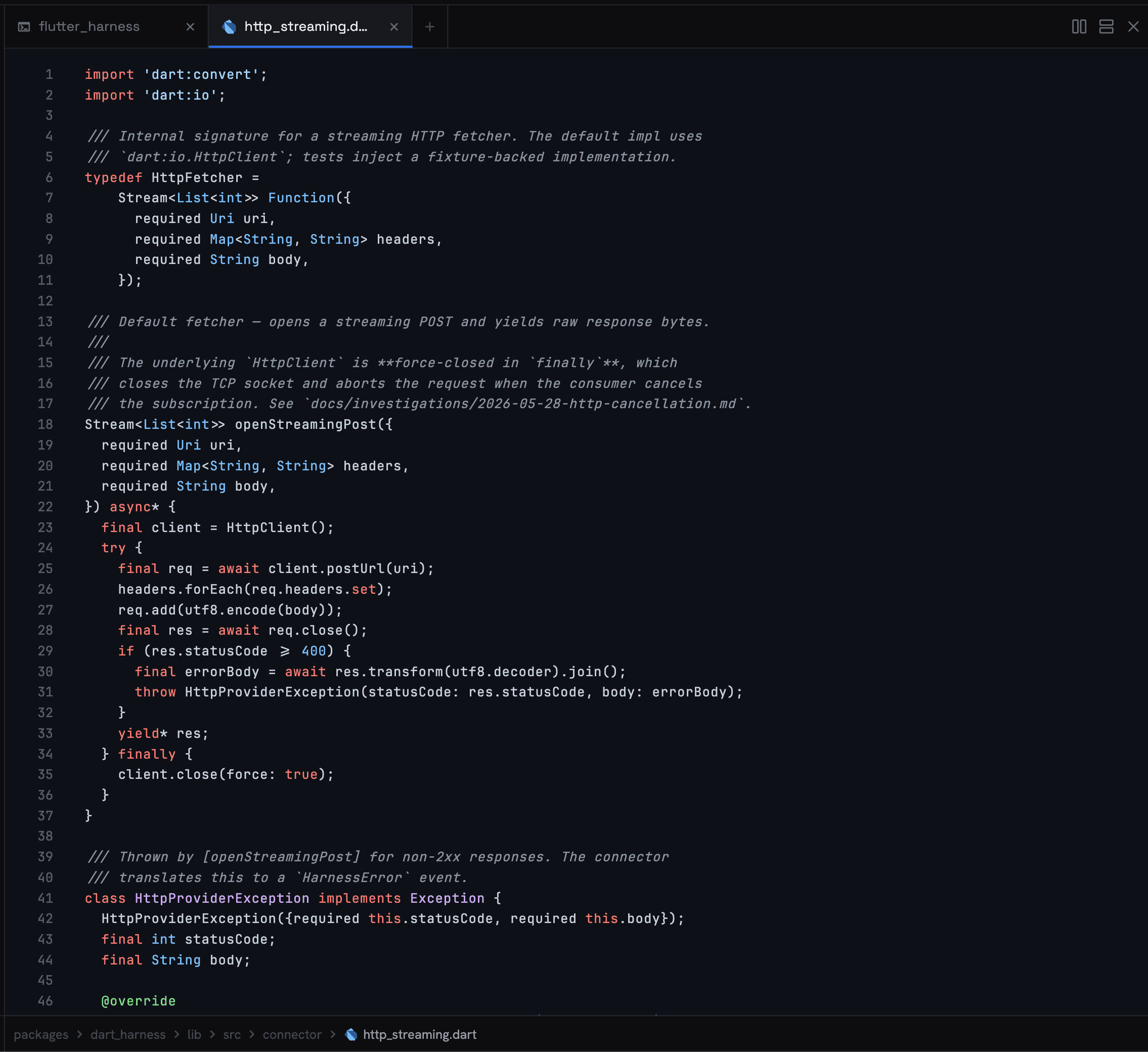
Viewer, diagnostics, git. When you need them.
Syntax-highlighted code in ~190 languages, live diagnostics and formatting from any language server on your PATH (Dart, TypeScript, Python, Go, Rust and more), plus git status and one-click worktrees. The agent edits; you review.
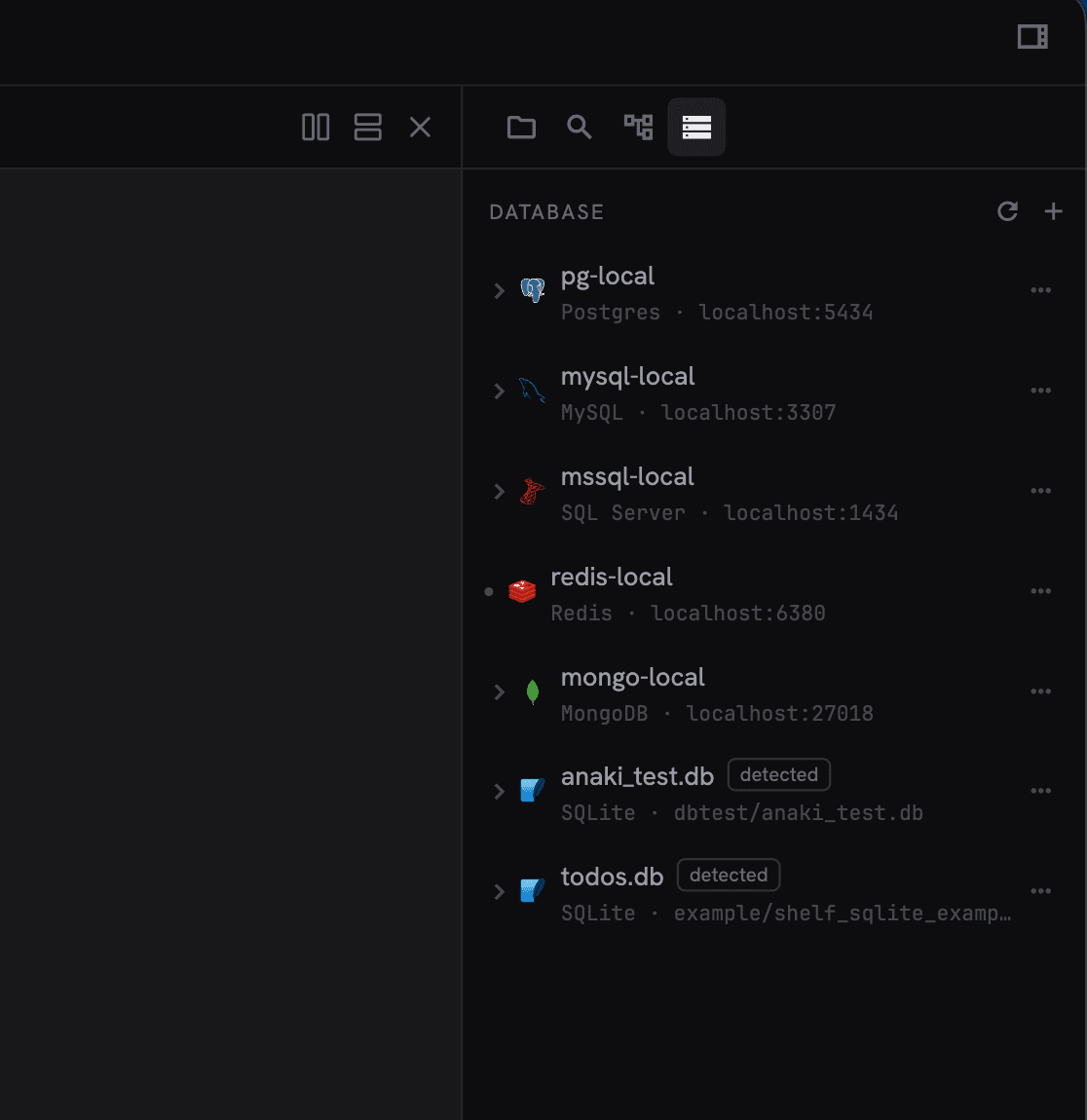
Databases as tabs.
SQLite, Postgres, MySQL, SQL Server, Redis and MongoDB: open them as tabs, query them, and let agents do the same through cockpit db.
Every context, one click away.
Group projects into workspaces, workspaces into realms, and fork onto a fresh git worktree with your whole layout recreated. Point at a folder of repositories and you get a sectioned tree, an aggregate git badge and per-repo actions, locally and over SSH.
Your environment, in the repo.
A .ckp file describes the terminals a project opens (folders, splits, commands) and can apply itself to every new worktree. A .cockpit/tasks.json turns your dev servers into play and stop buttons with profiles and reload on save, on top of the tasks Cockpit already detects from package.json and pubspec.yaml.
autorun: worktree
panes:
  - name: Agent
    cwd: .
    command: claude
  - name: API
    cwd: api
    split: right
    command: npm run dev
Build both from scratch in the layouts and tasks tutorial.
Themes, sounds, your language.
Nine built-in themes, or write your own: one JSON file paints the UI, the syntax highlighting and the terminal palette at once, inheriting everything you don't declare. Pick the terminal font family, bind a sound to each agent event (turn done, action needed, error), and read the whole interface in English, Portuguese or Spanish.
Start with a terminal.
Free and open source, for macOS, Windows and Linux, with in-app updates on macOS and Windows. Any Linux box becomes a host, and an Android tablet becomes a client.
Part of the Remote Pi project, which is where the phone app, the daemons and the agent mesh live.